Go from module to trace
Open a module on the board and follow it in Trace. Explore CPU, memory, display and network readings as available. Coverage depends on the hardware and system APIs.

Silicon Field
iPhone · iPad · Mac
Choose modules such as CPU and memory on an interactive board, follow a changing workload on a live trace, and keep the measurements you need.
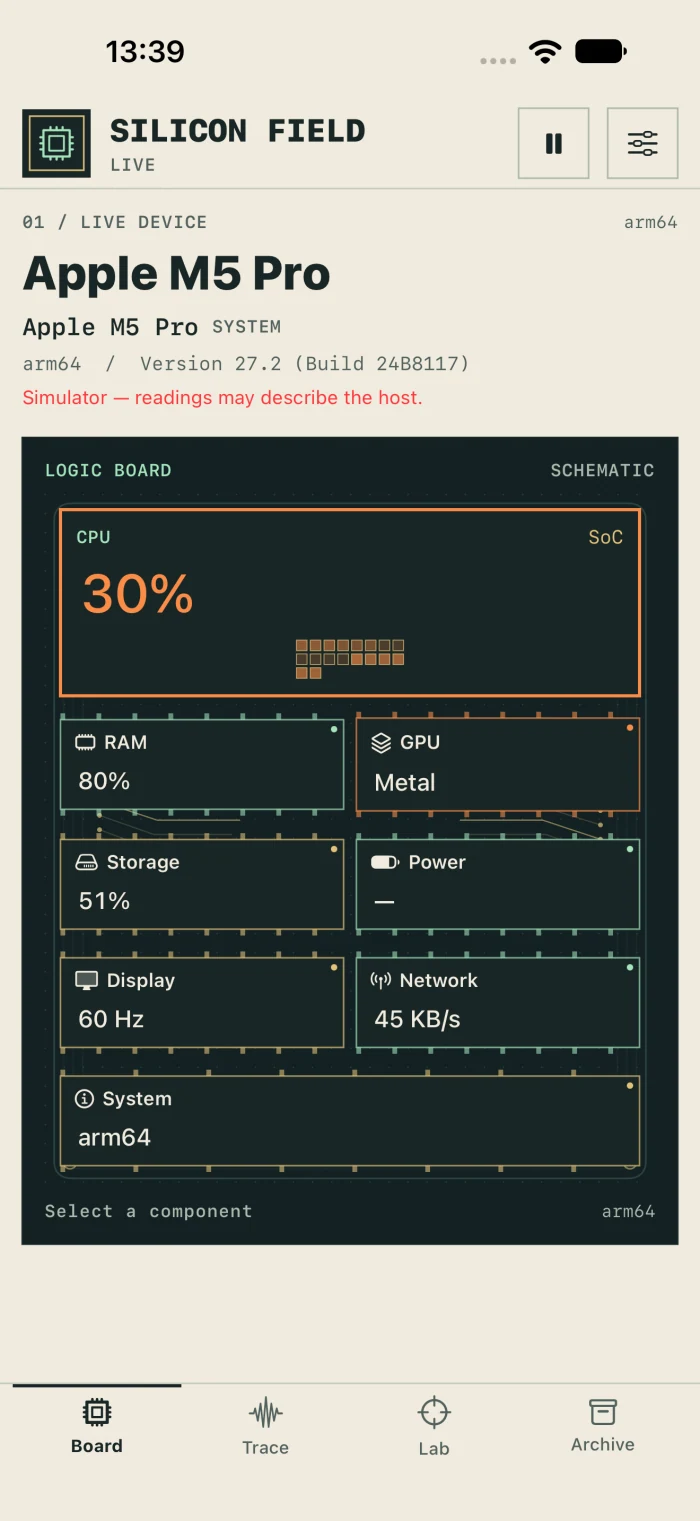
Open CPU, memory, display, network and other readings from the board. Hardware availability varies by device.
Simulator hardware readings
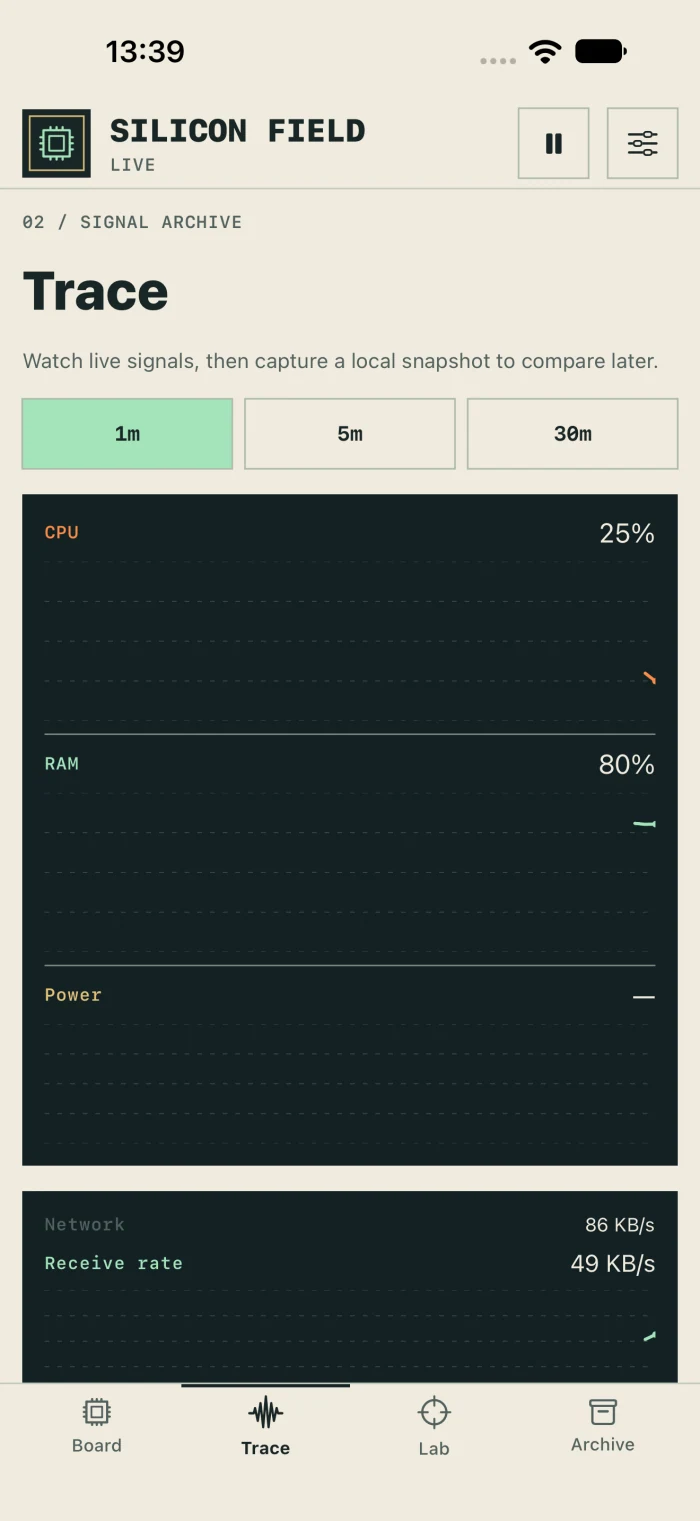
Trace follows one signal over time and lets you save a snapshot or record a measurement session.
Simulator hardware readings
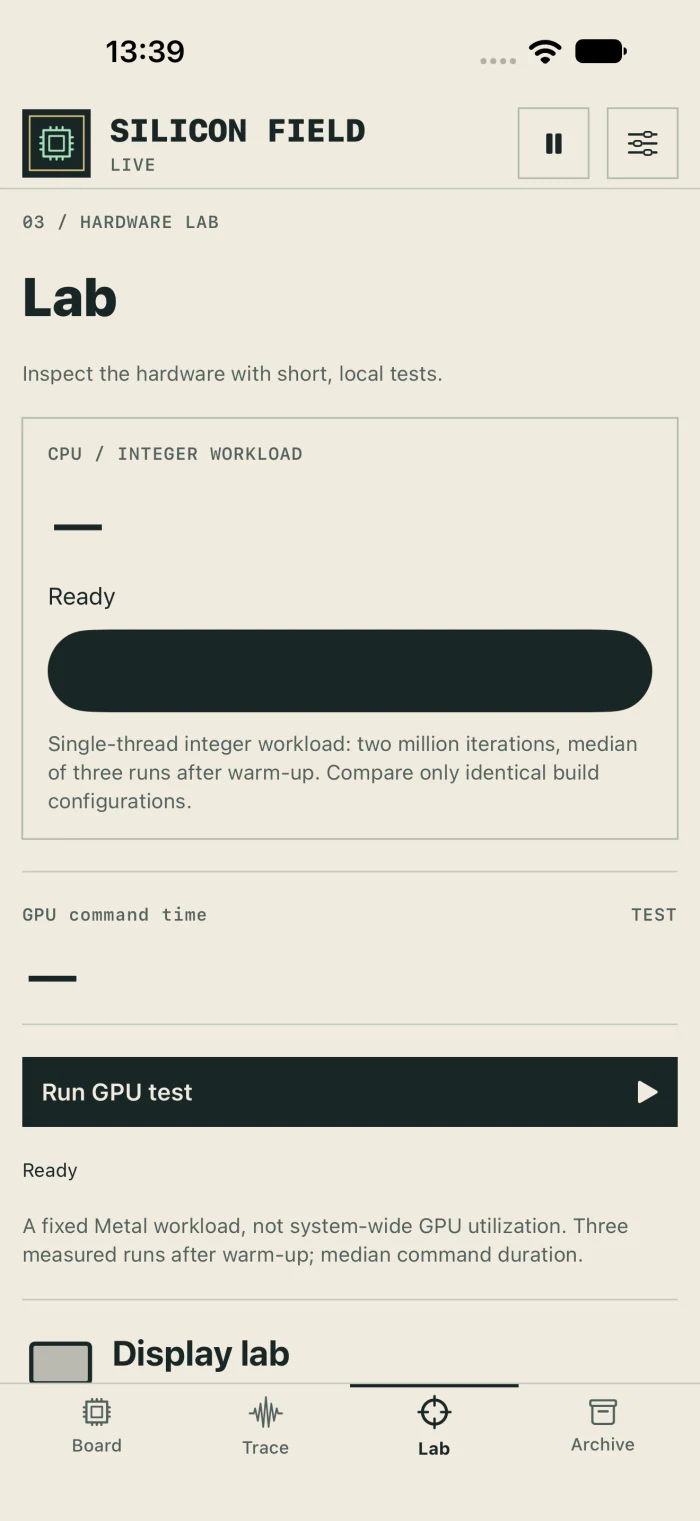
Lab offers selected CPU, GPU and display tests. Check what each test measures before comparing its results.
Simulator hardware readings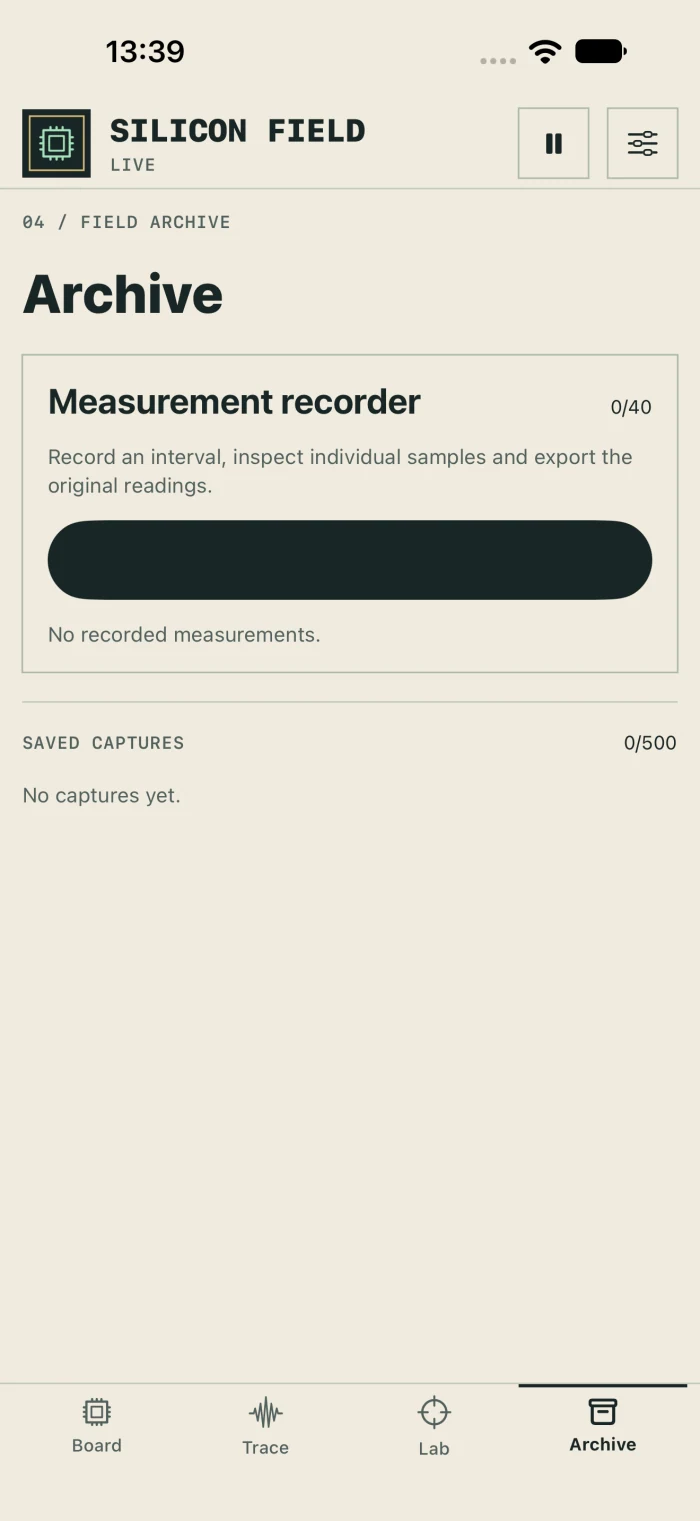
Revisit snapshots and recordings in Archive. Export eligible sessions to CSV or compare two snapshots with Studio.
Open a module on the board and follow it in Trace. Explore CPU, memory, display and network readings as available. Coverage depends on the hardware and system APIs.
Run CPU, GPU or display tests where supported. Record a stretch of readings, review the summary in Archive, or export the samples to CSV.
The optional Studio upgrade unlocks a 30-minute live trace and differences between two saved snapshots. Choose a one-, two- or five-second sample interval to suit the level of detail you need.
Open CPU, RAM, GPU, power, storage, display, network or system from the board. Each module brings together the current readings, notes and relevant tests. Unavailable values are shown as dashes.
Choose a signal and sample interval in Trace to follow it over time. Record a session, then review its summary in Archive or export CSV. Studio adds a 30-minute view and snapshot differences so you can compare two points in time.
Labs include CPU workloads, GPU workloads and display tests, with availability depending on equipment. Sampling runs while the app is active on iPhone and iPad. Pause it from the menu bar on a Mac. Readings and sessions are stored on the device.
Hardware and system APIs provide different readings on different devices. The board uses a dash when a value is unavailable.
Export eligible recordings as CSV from Archive. Studio also supports comparing two snapshots inside the app.