Find what’s still running
Search by name or bundle identifier. Open a row to see the process ID, available memory estimate and foreground status.

QuitTrace
macOS 14+
See the apps macOS reports as running, request a quit, and check whether the main process actually exited.
Unzip and move QuitTrace to Applications.
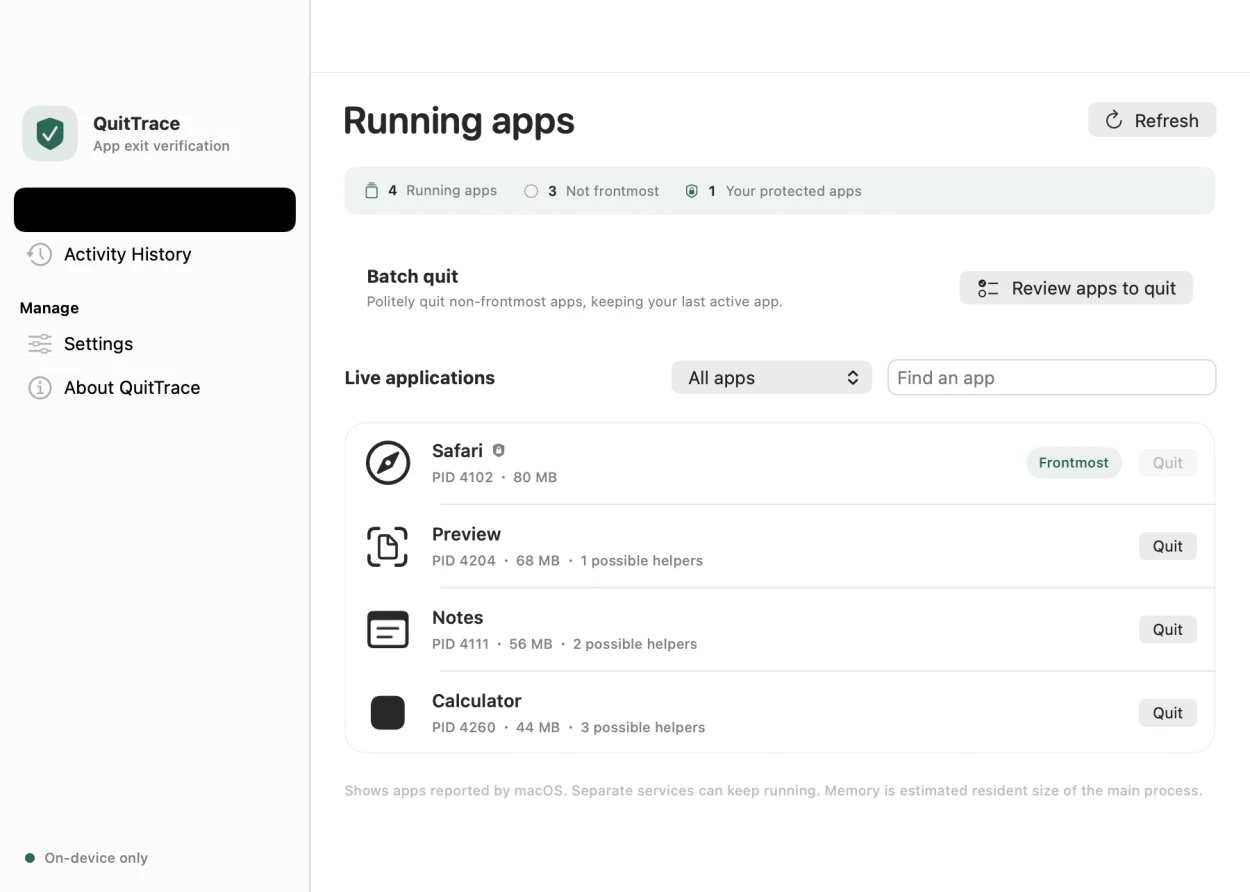
App interface · sample data
The workspace lists apps reported by macOS so you can check the process, status and quit target.
Sample data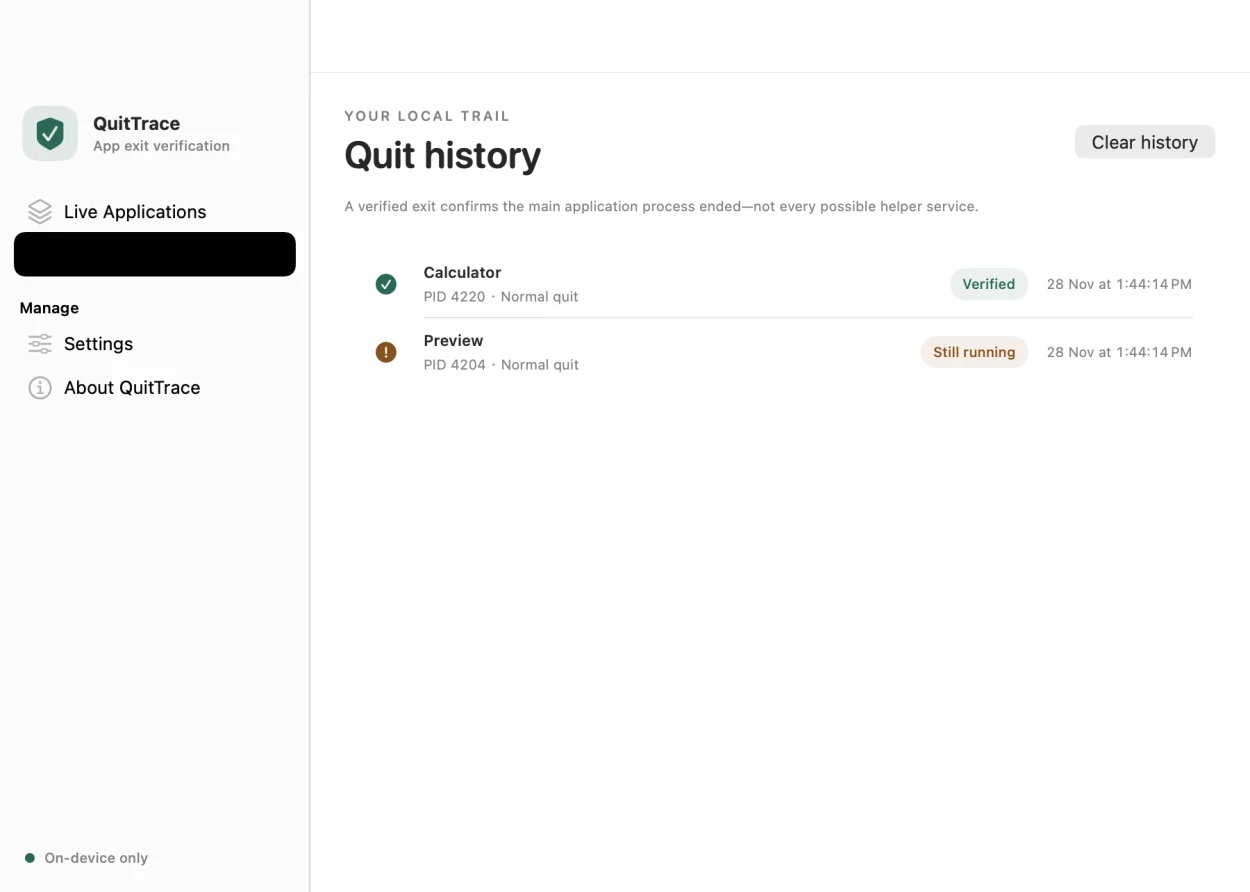
History tells you whether the main process exited, one app at a time.
Sample data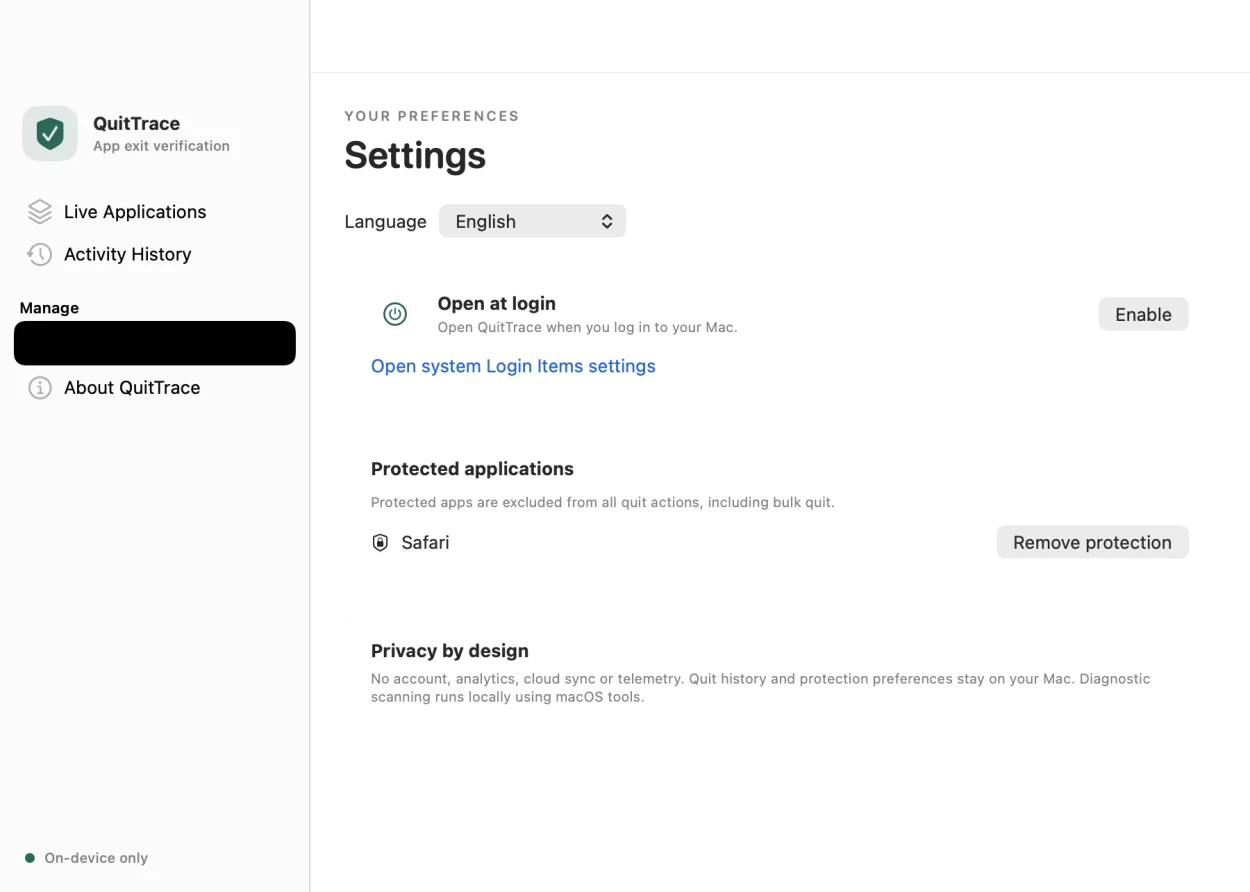
Settings lets you manage protected apps, interface language and preferences.
Sample data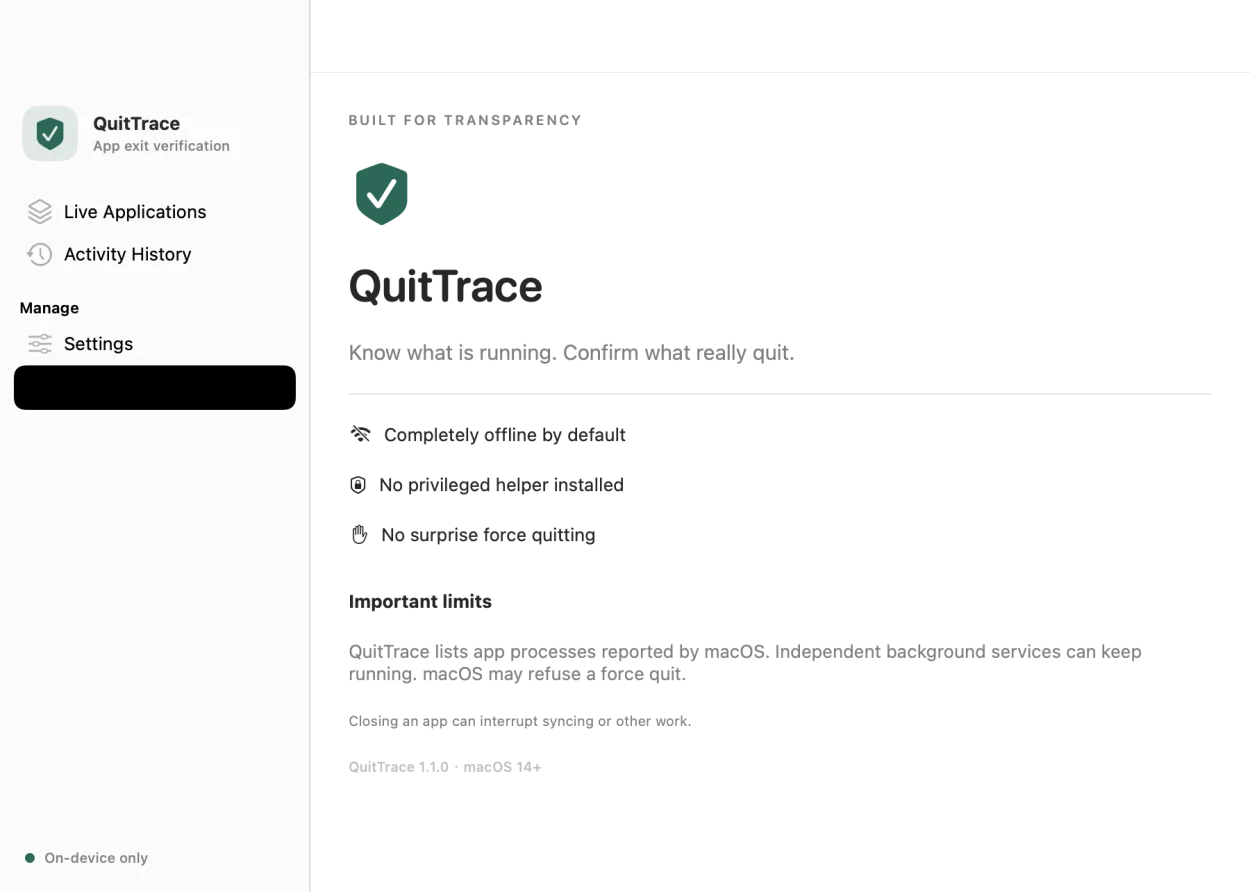
Quit results describe the main process. Independent services can keep running and the system can relaunch an app.
Sample dataSearch by name or bundle identifier. Open a row to see the process ID, available memory estimate and foreground status.
Tick the apps you want to quit and protect the ones you need to keep. QuitTrace rechecks identity and protection before each request. You can stop the requests that are still queued.
Keep up to 150 quit attempts. Verification covers the main process. Independent services can continue running, and the system can launch a new instance.
The menu bar is useful for a quick quit. Open the main window to verify a name, process ID, estimated memory or foreground status. The list is drawn from apps macOS makes available.
Review and select apps before starting a batch. Protected apps are excluded. QuitTrace checks that each process still matches and records the result. You can stop the remaining requests.
The history distinguishes completed quits, processes still running and other responses, with up to 150 entries. Verification concerns the main process. Independent background items can keep running, and the system can launch another instance.
Manage protected apps in Settings and add apps you normally want to keep running.
QuitTrace verifies the target’s main process. Independent background services can continue running, and macOS may relaunch the app later.