Log a session, then look back over time
Find a specific entry in the calendar or review 7-, 30- and 90-day trends. A 28-day personal baseline gives you a starting point for comparison.

Rhythm
iPhone · Apple Watch · 18+
A private wellness and habits journal for men aged 18 and over. Log a session on iPhone or choose to capture wrist rhythm data on Apple Watch.
App interface shown in Traditional Chinese
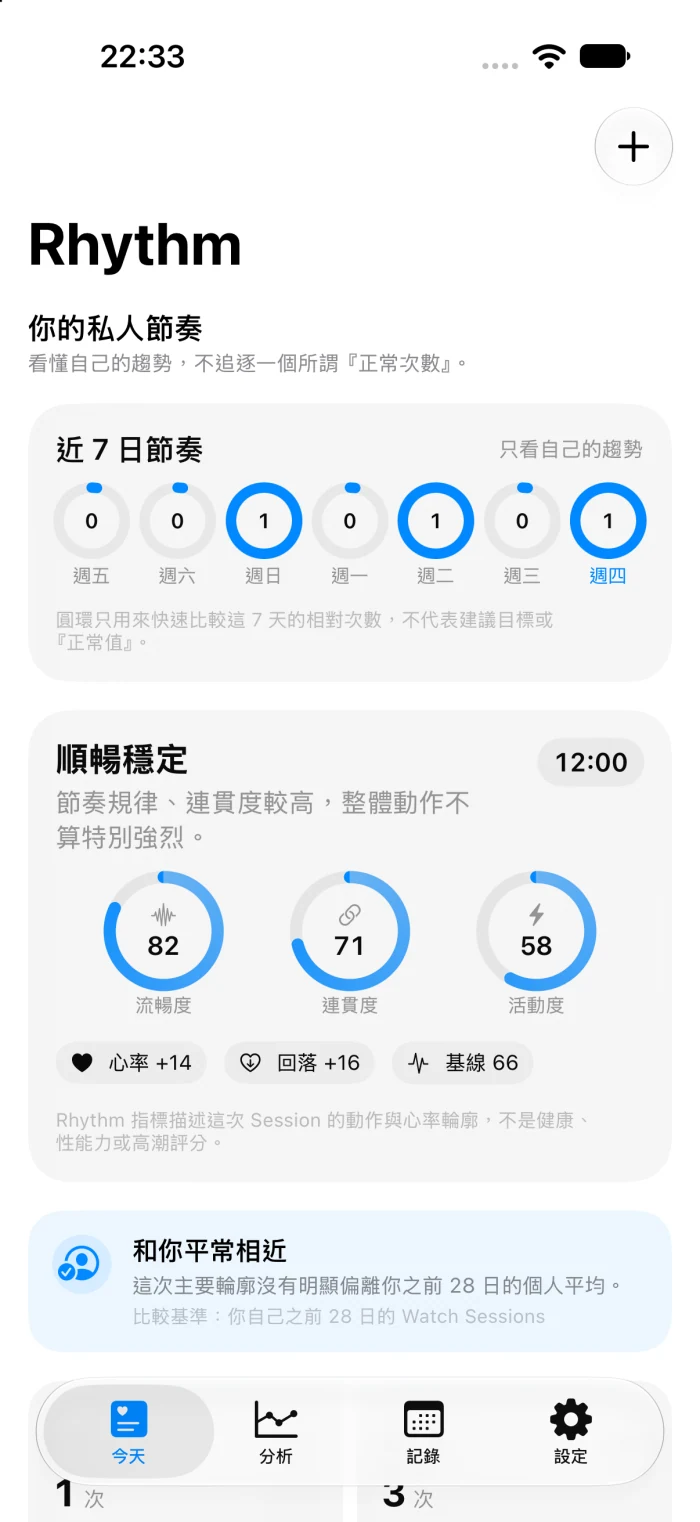
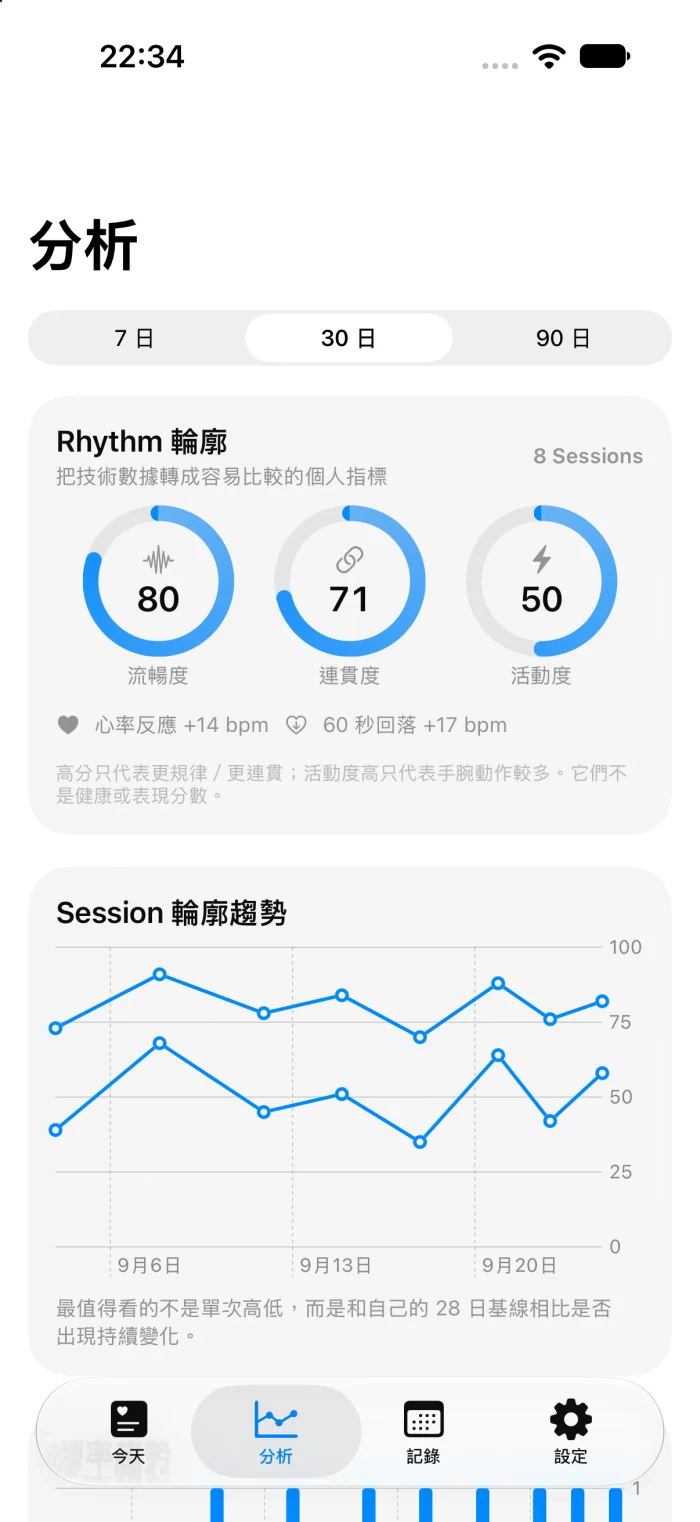
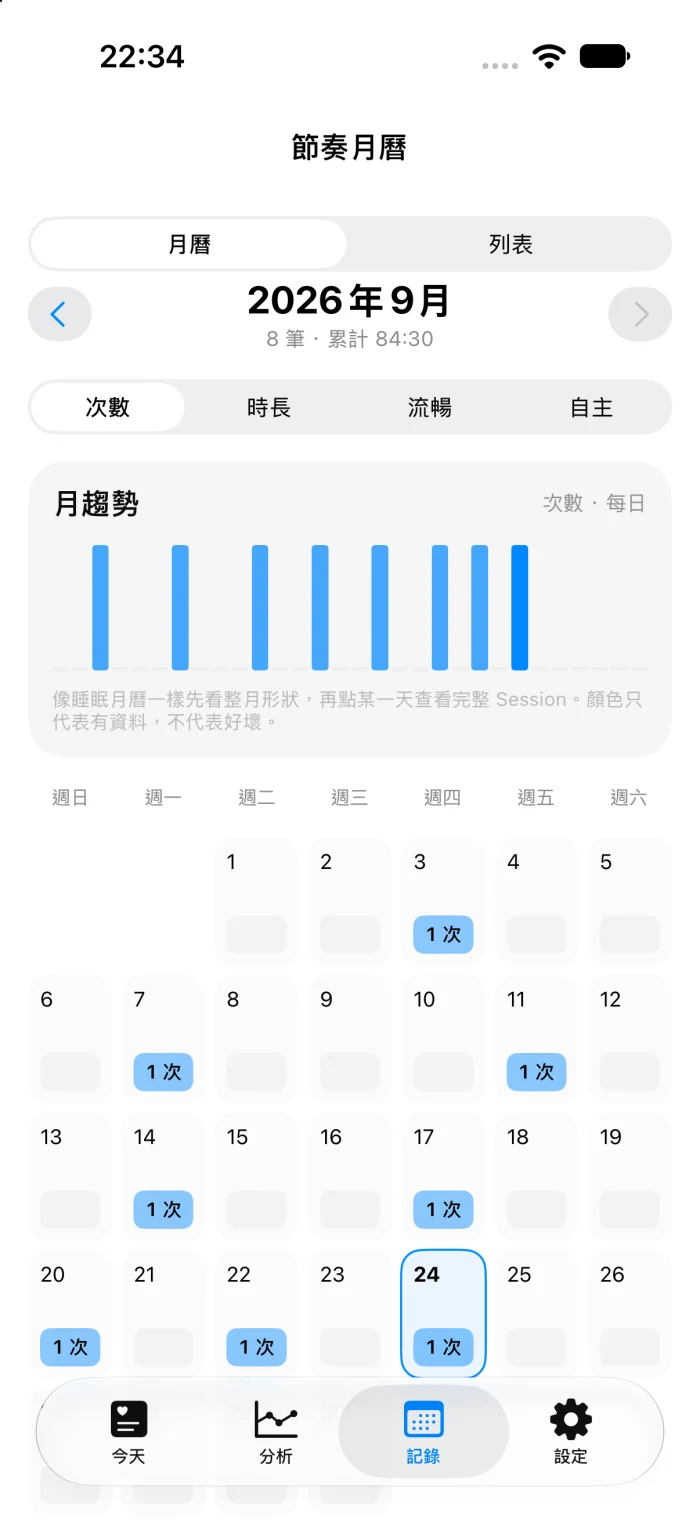
App interface · sample data
The dashboard brings recent counts, durations and measures together with shortcuts to log and review.
App interface shown in Traditional Chinese · Sample data
Change the analysis period. Motion and heart-rate measures appear when the watch has enough samples.
App interface shown in Traditional Chinese · Sample data
Open a date in the calendar to revisit its records and then inspect an individual session.
App interface shown in Traditional Chinese · Sample data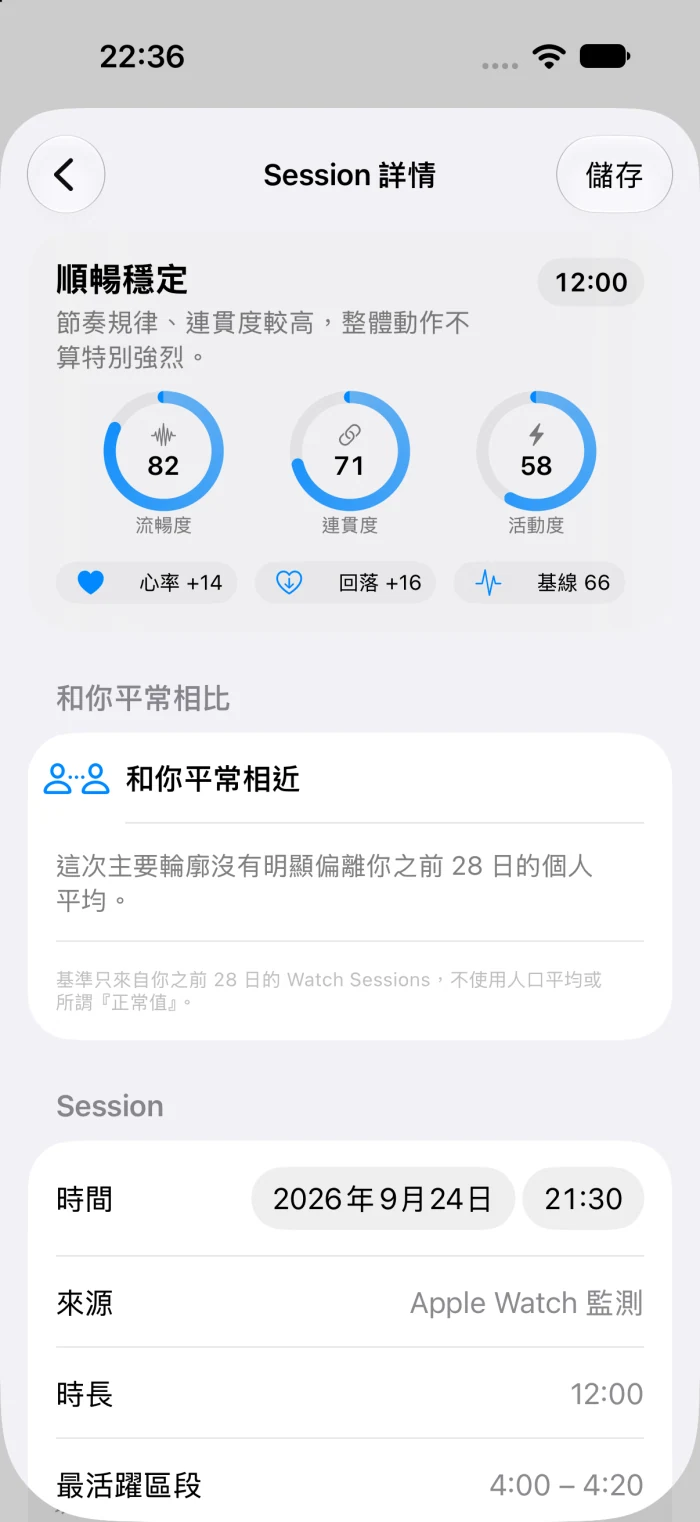
Read duration, activity, flow and other available measures separately.
App interface shown in Traditional Chinese · Sample data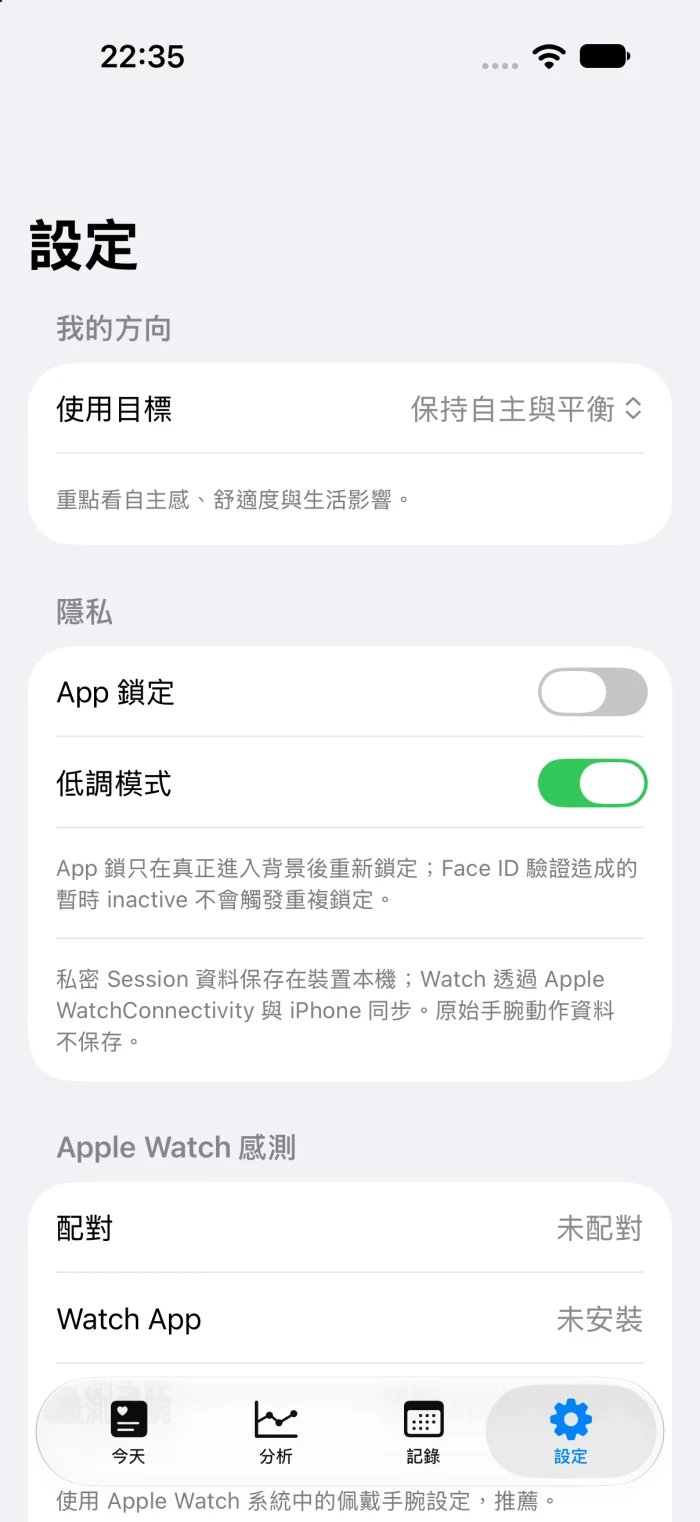
Manage app lock, wrist choice and export in Settings, and decide whether to use extended heart-rate analysis.
App interface shown in Traditional Chinese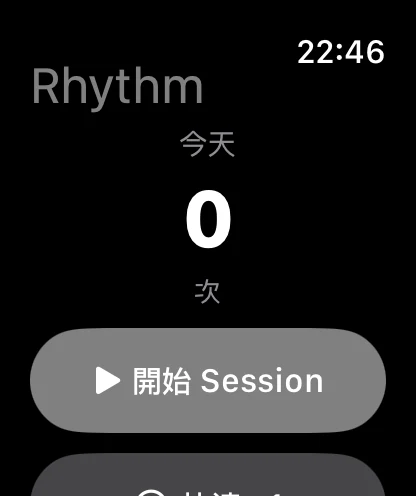
The watch shows today’s session count. Tap Start Session to begin measuring, then review the result on iPhone.
App interface shown in Traditional ChineseFind a specific entry in the calendar or review 7-, 30- and 90-day trends. A 28-day personal baseline gives you a starting point for comparison.
Apple Watch analyses measures such as continuity and activity after you start a session. You choose whether to grant health permissions. Raw motion sensor data is discarded.
Rhythm requires no app account and uses no third-party analytics SDK. The optional Game Center arena uses game scores and a Game Center identity. Journal and health data stay separate.
Use Quick Log on iPhone to keep a date and notes. Start a session on Apple Watch only when you want to review wrist rhythm and set which wrist you wear it on. Heart-rate access is optional, and sample coverage can vary between entries.
Open an entry to see duration, flow, continuity and activity separately. With enough heart-rate data, you can also see heart-rate response and 60-second recovery. Use the calendar to revisit a date or switch between 7-, 30- and 90-day views.
Use device authentication to lock the app and export a JSON file from Settings when needed. Journal entries sync between the phone and paired watch. The optional Game Center activity keeps its identity and scores separate from the private journal.
Quick Log on iPhone stores a date and notes. Start a watch session when you want to record wrist rhythm data.
Settings lets you lock the app with device authentication and export a JSON file.